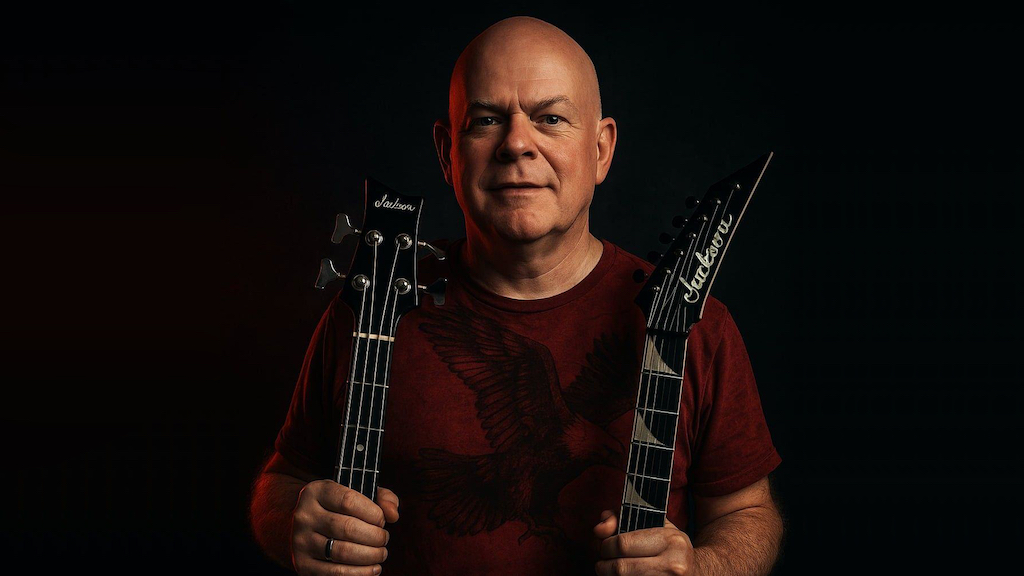
For countless songwriters and producers, the journey from a melody in their head to a finished track with compelling vocals can often be long and challenging. Finding the right singer, scheduling sessions, even having the vocal ability yourself can often lead to roadblocks. Andy Garrett, a musician and songwriter since the 1970s, knew this frustration well, having composed hundreds of songs kept on the back burner due to a lack of vocals. That changed when he discovered Synthesizer V Studio.
Recently, Andy achieved a remarkable milestone: winning a songwriter competition with his track "Let Me Stay with You," brought to life with Synthesizer V Studio 2 Pro. Our powerful software provided the missing piece in his puzzle, enabling him to finally realize his musical vision with stunningly realistic vocals. Since then, Andy has also won two first-place award trophies—one for "Best Jazz Song" using using Synthesizer V voice Ritchy, and another for "Best Outlaw Song" using Synthesizer V voice Liam.
Read on as Andy shares his journey and creative process using Synthesizer V Studio 2 Pro, plus how it became key to creating his award-winning song, "Let Me Stay with You."
Hi Andy, how are you? To start, can you tell us a bit about yourself and your musical background?
I'm originally from the small area of Battle Creek/Kalamazoo, Michigan. Inspired by rock and roll music, I began playing guitar at the age of 10 in 1975, and began writing songs in 1978. Back then, if you wanted to play that kind of music, you had to join a band and play live (there was no Internet or social media). So I did this for several years mostly in the evenings while still in school, and also as a young adult.
As I got older, it became much harder to play in a band due to the full-time job I worked on night shift. Also, other musicians I had known when I was younger all had lives (got married, had families, etc.), and the time was no longer there to play out in a band. So I started home-recording music in the ‘90s with cassette-based recorders and a drum machine. I could play guitar and bass, but could not sing. So I decided to give instrumental music a shot for the sake of putting out music.
But my passion had always been vocal songs and, without a singer, it was very frustrating for me. At this point I had composed a few hundred song ideas and had to put them on the back burner (my full musical bio is available on my Spotify artist page).
How did you find out about Dreamtonics, specifically Synthesizer V Studio 2?
After spending years getting more comfortable as an independent artist with computers, DAWs, MIDI, plugins, etc., I couldn't stand it anymore—I had to find a way to work with vocalists. I was getting a little over a million streams a year on Spotify, but was tired of writing just instrumental music.
So last year around August 2024, I began hearing about AI Vocals. I started searching on YouTube, and found Synthesizer V. I was impressed the most by the fact that there were real singers (male and female) who had created banks, and that I could simply draw in the vocal parts using a mouse and type in my lyrics. I was so excited, because I finally had a way to bring my songs to life with vocals 24/7, day or night, with incredibly realistic detail.
Let’s talk about your song “Let Me Stay with You.” Can you tell us a bit about it, and why you chose to work with a Synthesizer V Studio 2 voice for it?
The song was originally written back in the late ‘90s and talks about appreciating the time we have with those who are special to us while we have them around. I wanted it to have a classic rock vibe overall, and went for that on the recording the best I could. In my mind, I knew the sound I was going for. Immediately after hearing the Synthesizer V voice Kevin, I knew that was it.
How did you decide which voice to use for the song?
Another magnificent thing about Synthesizer V is being able to preview the voices/vocal modes first before deciding which singer to use. Kevin has that perfectly smooth crooner voice that fits a classic rock radio hit. In any great song, the vocalist is the one who connects the audience to the song and makes them feel a certain way.
What was your process like working with Synthesizer V Studio 2 Pro vis-à-vis bringing your song to life?
When I build a vocal for a song (like this one), I use Reaper DAW and open Synthesizer V as a VSTi right in the DAW, as a window right along with my recorded tracks. This way I can edit everything right in Reaper from the beginning to the end of the process. I noticed some people import a WAV file into Synthesizer V and build vocals that way within the program itself. But I prefer doing it inside the DAW.
Tell us about some of the memorable moments (and even the struggles) while you were using Synthesizer V Studio 2 Pro to produce your song.
The biggest "wow" moment for me was realizing I could use multiple vocal modes within a single vocal track, like being able to go from ballad to hard rock (back and forth). Also being able to control the vibrato, pitch, etc. was impressive.
The only minor struggle I had was trying to learn intricate details about how to use the program at first, but YouTube helped a lot with that over time. I'm more of a visual person, and I learn best from watching others.
Do you see yourself using our software again to produce more songs?
At the time of this interview, I have released over 60 original songs using Synthesizer V. You can hear these on Spotify, YouTube, Apple music, etc.
Listeners keep telling me how much they enjoy the singers, and I have used several of your voices along with ones from Eclipsed Sounds. I also just had a second song entitled "Song of Fortune," which I used Synthesizer V on, win as a top ten finalist in the rock category of World Songwriting Awards. I plan on releasing as many more as I can, and I am hooked on the quality of Synthesizer V (especially the newest version 2).
What would you do differently the next time around when using Synthesizer V Studio 2 Pro to create another song?
The only thing I now started doing differently when building a song, is making a very simple guide track of the main vocal as I'm creating the song. Before that, I would do all of the music first and then create the vocals.
What is it about working with Synthesizer V Studio 2 voices for your song that human vocals can’t offer?
I feel that someone like myself, who creates music basically when I feel like it, would never have instant access to one singer (let alone so many different singers on demand with such immense diversities). Let's face it—we live in a digital age where so many people are creating music, you can't even count them all. And 90% of them probably can't sing. But, they all have a vision in mind of how they would like their music sung, and finally, Synthesizer V Studio 2 Pro has made this attainable.
What advice would you give other music producers out there who want to incorporate Synthesizer V Studio 2 into their workflow?
Being someone who has been alive both during the analog and digital age of music, I truly believe Synthesizer V Studio is the most profound creation of our time, by completing that missing piece we have all needed for independent music production—instant top quality vocals. Most of us making music now are doing it ourselves, and also can't sing well enough to have our music compete with the major labels. This finally breaks down that wall, and the Dreamtonics team should be very proud of this historical accomplishment!

%20on%20a%20white%20rounded%20square%20--%3e%3crect%20width='48'%20height='48'%20rx='5.78'%20fill='%23FFFFFF'/%3e%3cg%20transform='translate(12%209.6)%20scale(0.8)'%3e%3cpath%20d='M7.56396%2035.663H10.7986C12.2756%2035.663%2013.5622%2034.6994%2013.9164%2033.3279L22.4379%200.335938H19.4104C17.8117%200.335938%2016.4192%201.37887%2016.0358%202.86336L7.56396%2035.663Z'%20fill='black'/%3e%3cpath%20d='M19.1792%2017.9996L23.7415%200.335938H29.4908L24.9286%2017.9996L29.4908%2035.6632H26.2562C24.7792%2035.6632%2023.4926%2034.6996%2023.1383%2033.3281L19.1792%2017.9996Z'%20fill='%2300AEFF'/%3e%3cpath%20d='M10.8208%2017.9996L6.86167%202.67109C6.50741%201.29954%204.68558%200.335938%203.20857%200.335938H0.509169L5.07144%2017.9996L0.509169%2035.6632H6.25853L10.8208%2017.9996Z'%20fill='%2300AEFF'/%3e%3c/g%3e%3c/svg%3e)