Instrument X 1.0.1 Update
Dreamtonics is excited to announce the Instrument X 1.0.1 update.
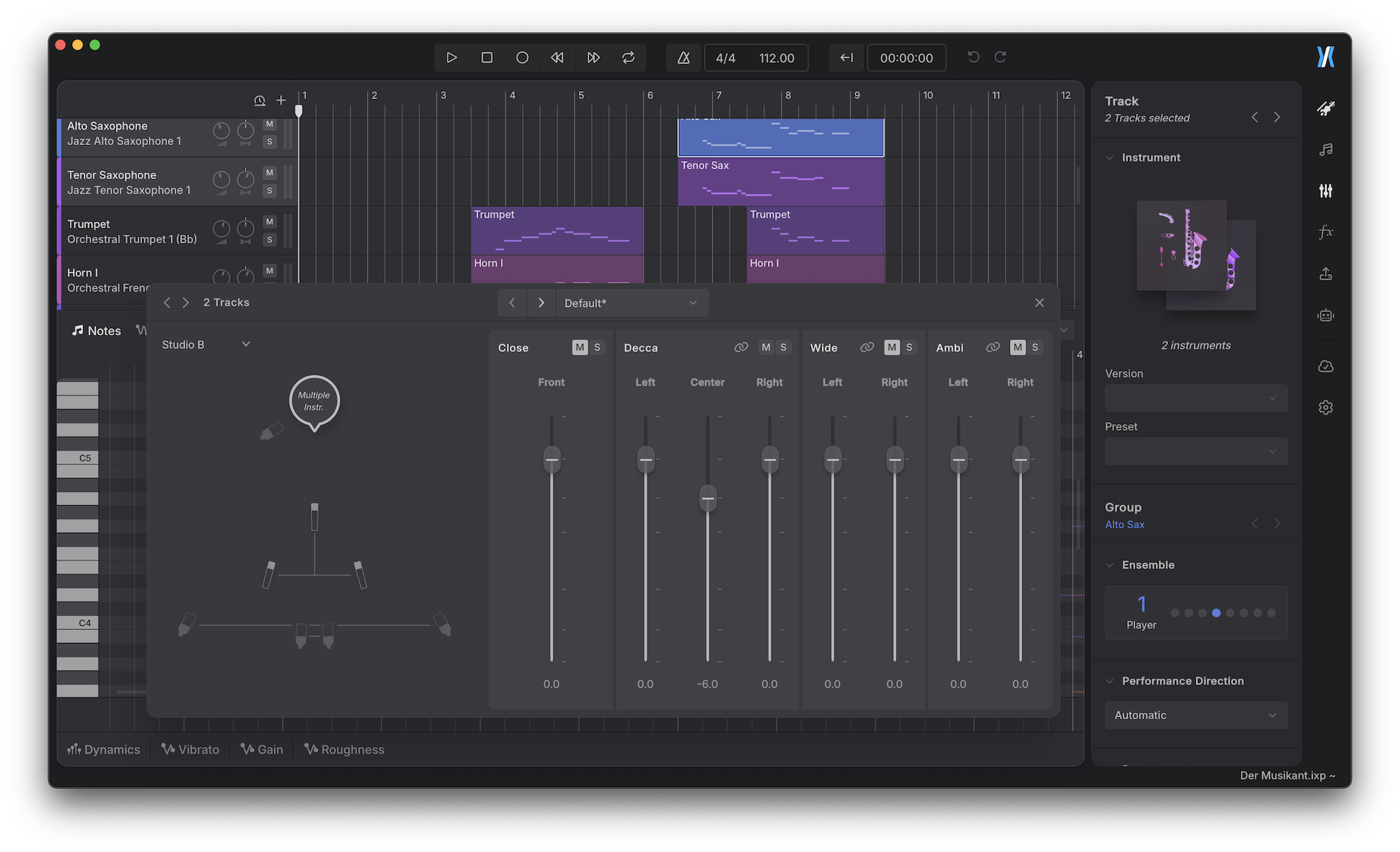
Version 1.0.1 optimizes editing workflows that involve many tracks and overlapping notes. You can now select multiple tracks at once and edit their instrument and Mic Mixer properties together. A new setting also keeps automation synchronized as notes are moved.
Pitch curves can now be drawn over polyphonic sections — chords, harmony, and other overlapping-note passages that previously accepted only a single curve.

The update also addresses several stability issues across plugin formats and host environments.
Instrument X 1.0.1 (Sep 17th, 2026)
New Features
- Added a “Reset Window Size” command to the View menu in plugin versions.
- Added a new settings option to synchronize automation when notes are moved.
Feature Enhancement
- Made the option to disable the MIDI input device available in the standalone version as well.
- Added support for selecting multiple tracks and editing track-level settings and Mic Mixer properties together.
Behavior Changes
- Changed the keyboard shortcut for navigating to the previous note to
Shift + Tabon macOS. - Added
*as the default shortcut for starting recording.
Bug Fixes
- Fixed an issue where audio output was lost after reopening a saved plugin project with render cache enabled.
- Fixed an issue where the application crashed when accessing a NoteGroup from a script.
- Fixed an issue in REAPER on macOS where data was lost after setting up ARA, saving, and reopening a project for the first time.
- Fixed an issue where multiple pitch curves could not be drawn over a polyphonic section.
- Fixed an issue where content could not be copied and pasted between the standalone version and the plugin on macOS.
- Fixed an issue where the
Ctrlkey unexpectedly started playback when using the ARA plugin on Windows. - Fixed an issue where Smart Quantization did not behave correctly on polyphonic notes.
- Fixed an issue where audio stuttered when using the instrument plugin with a large buffer size.
- Fixed an issue where the Settings and Product Manager windows were cropped when running inside Pro Tools on Windows with high-DPI settings enabled.
- Fixed an issue where the waveform display in the waveform lane appeared jagged under a non-integer UI scaling factor.
- Fixed an issue where pitch control points and curves could move beyond the vertical bounds of the piano roll after transposing notes.
- Fixed an issue where instrument trial users were involuntarily logged out while rendering with a large ensemble.

%20on%20a%20white%20rounded%20square%20--%3e%3crect%20width='48'%20height='48'%20rx='5.78'%20fill='%23FFFFFF'/%3e%3cg%20transform='translate(12%209.6)%20scale(0.8)'%3e%3cpath%20d='M7.56396%2035.663H10.7986C12.2756%2035.663%2013.5622%2034.6994%2013.9164%2033.3279L22.4379%200.335938H19.4104C17.8117%200.335938%2016.4192%201.37887%2016.0358%202.86336L7.56396%2035.663Z'%20fill='black'/%3e%3cpath%20d='M19.1792%2017.9996L23.7415%200.335938H29.4908L24.9286%2017.9996L29.4908%2035.6632H26.2562C24.7792%2035.6632%2023.4926%2034.6996%2023.1383%2033.3281L19.1792%2017.9996Z'%20fill='%2300AEFF'/%3e%3cpath%20d='M10.8208%2017.9996L6.86167%202.67109C6.50741%201.29954%204.68558%200.335938%203.20857%200.335938H0.509169L5.07144%2017.9996L0.509169%2035.6632H6.25853L10.8208%2017.9996Z'%20fill='%2300AEFF'/%3e%3c/g%3e%3c/svg%3e)