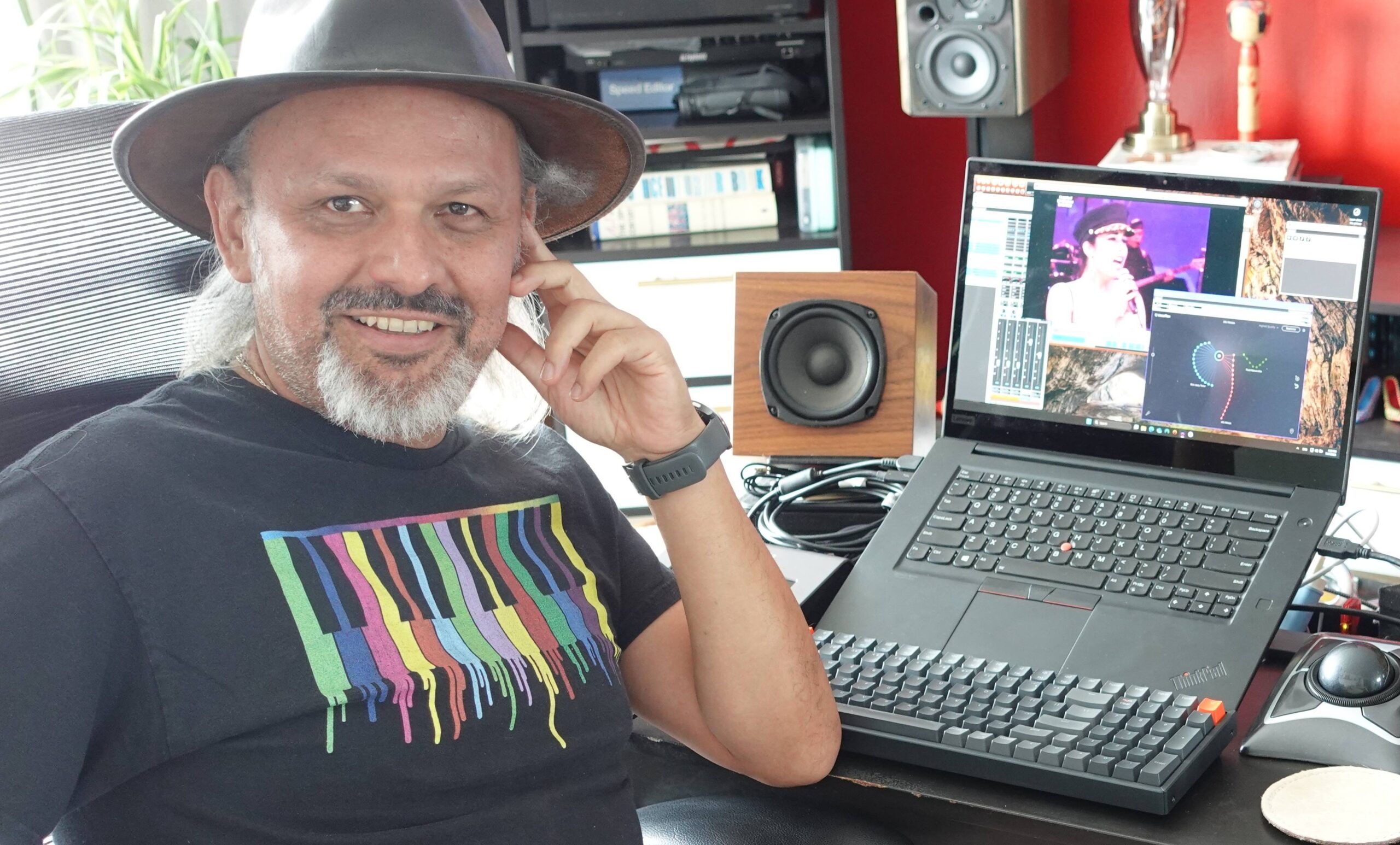
When a producer’s discography includes names like Beyoncé, Missy Elliott, Mick Jagger, and Latin music icons such as Ricardo Arjona, you know they operate at the highest level of the industry. Carlos “El Loco” Bedoya is that producer—a multi-Grammy-winning veteran whose career is built on delivering world-class vocal productions. His work is defined by precision, feel, and an uncompromising standard for quality.
But even for a seasoned pro, the modern demands for perfect vocal consistency and on-the-fly creative flexibility present constant challenges. While working on high-stakes projects, including a posthumous album for Selena Quintanilla and new material for Ricardo Arjona, Carlos found himself searching for a faster, more intuitive way to shape and match vocal performances. His search for a practical tool—one without the latency or limitations of other solutions—led him to discover the real-time power of Dreamtonics' Vocoflex and Synthesizer V Studio 2 Pro.
We had the pleasure of sitting down with Carlos to discuss how these tools have revolutionized his workflow. In this interview, he breaks down exactly how he uses Vocoflex and Synthesizer V on major label records, shares his powerful philosophy on AI as an essential creative instrument, and explains why he believes this technology is set to radically change the sound of modern pop music.
For anyone who hasn’t had the pleasure of discovering your work, could you tell us a bit about who you are, who you've worked with, and what you enjoy most about what you do?
[embed]https://www.youtube.com/watch?v=4Y6QDFLHGPA[/embed]
I’m Carlos “El Loco” Bedoya. I’ve been working with many artists in the United States for 25 years, and before that, I worked in Colombia for about 15 years.
I started with my own projects in Colombia, but once I got to the U.S., I began working on bigger projects, mainly in Rock and Hip Hop—artists like Missy Elliott, Weezer, Beyoncé, Mick Jagger, Janet Jackson, Live, Madonna, Nelly Furtado, Jay-Z—basically everyone who came through South Beach Studios.
Later I went back to the Latin market, working with artists like Paulina Rubio, Enrique Iglesias, Ricardo Arjona, Piso 21, Feid, Ovy On The Drums.
My strengths are mixing, production, and especially vocal production.
And it was at this 2025 NAMM that you first discovered Vocoflex, right?
It was the first time I really tried it. I had seen something online before because I was working on other projects.
We were preparing a posthumous tour for the last album released by Selena Quintanilla. The idea was to release the record with modern arrangements, re-recorded, so I found a singer who’s an expert at imitating vibrato, accents, and has a powerful voice. We got really close, but to add the final touch I had to program AI models—and that took me a ton of time.
I kept thinking, “Someone must have made this process more practical,” so I started looking and found Vocoflex and Synthesizer V. At first, I didn’t pay much attention, but then we started working on the album for Ricardo Arjona and Martina La Peligrosa. We wanted to rework some old vocals, and it happened to coincide with my trip to NAMM, where I got the pleasant surprise that Vocoflex works in real time—exactly what I was looking for.
There were other tools, but they were only in English and had a huge latency of about 200 milliseconds. I wasted a lot of time trying to train them—it was a total disaster.
When we found Vocoflex, I tried it with Mauro Castillo and we were blown away by the results.
We had a project with an artist who wanted to re-record his discography, but his voice had changed. With Vocoflex, we just loaded in his old vocal timbre and recorded a new performance—it’s amazing.
Right now, as we prepare new material and a tour with Ricardo Arjona, he usually travels to get in the zone. Sometimes he wants to change a line in a song that’s already been recorded—right on the spot. So he records on his phone, I train Vocoflex with his original voice from the song, apply it to the phone recording he sent me, and done—I get the same vocal tone and mic character as the rest of the track.
We also use this when he's sick or wants to transfer vocal characteristics from one song to another, or blend them by automating the cursor’s movement.
It’s the same performance, with his own voice, but polished and perfect for production.
So would you say Vocoflex’s advantage lies in its flexibility with input but reliability in output?
And that I personally get to define the output’s characteristics; what song or part it should sound like.
But without a doubt, the speed is the biggest advantage of using Vocoflex—the clarity of the interface and the ability to explore different timbres from the samples you load and test them out.
You don’t have to wait for a long processing phase and hope it turns out okay, only to have to redo it if it doesn’t.
Another album I finished was for Adriana Lucía. She has a raspy but very tonal voice, and she’s hard to record because between sessions her voice changes a lot. Sometimes she’d replace parts the next day and the difference was noticeable.
I tried to balance it out using traditional processing (EQ, compression, etc.), but then I thought of Vocoflex. I trained it using a track where her vocal had turned out great, and used that for the rest of the songs.
Instead of spending two hours mixing the vocal, I had it ready in 15 minutes.
Definitely—it’s the convenience the software gives you. And with that said, what would you say to other producers, engineers, and artists who are thinking about getting Vocoflex?
It’s a consistency tool. If you're looking for vocal consistency across songs on an album—which is always the hardest part—with Vocoflex, you’re done in two minutes. Two minutes to match the tone, three more to set compression and EQ, and you’re good to go.
It’s about using it without fear.
Back in the day, people were hesitant about using compressors—they’d say you had to ride the faders… NOPE!
The tool is there—just use it, no shame—and try things you never imagined.
Right now, I’m even thinking of training Vocoflex with a bass track to see what happens.
Exactly, it’s about pushing the tool and seeing what kind of results you can get. And speaking of that—so far in your experience, have you found anything interesting in terms of sound design?
Definitely. In the graphical interface, that cartogram it has—you can experiment with everything: super soft tones, aggressive ones, brightness changes.
For example, I was working on background vocals and had a long held note that felt kind of dull. So I put Vocoflex on it and started moving the cursor around the interface to change the tone—from sweet to aggressive.
That makes a lot of sense. You’re adding color to something that didn’t have much expressiveness before.
Exactly, and that lets you change the intention—like altering the shape of the singer’s mouth so it’s not stiff or stuck in one place—it makes it come alive.
That’s a really interesting way to describe it. And changing the subject a bit, how have you been using Synthesizer V specifically?
Harmonies!
Sometimes for doubling, people take the lead vocal and shift the timing using other software. What I do is analyze the lead vocal so Synthesizer V recognizes the melody and text, assign a voice to it, randomize it so it doesn’t sound identical to the lead vocal, and then overlay Vocoflex with the original singer’s voice.
What used to be a six or seven-step process for a single harmony, taking me two–three hours—now takes just two steps and I’m done in 15 minutes. And it sounds really good! It’s super fun.
And for example, how important do you think it is to have access to singers originally recorded in Japanese, Chinese, or English for Latin or Spanish-language music projects?
I think pronunciation is interesting. Sometimes Japanese voices work better for me than English ones because of pronunciation similarities. But having the options is really important, in case you prefer certain results over others.
What I’ve done before is, if I don’t like the pronunciation in some parts, I use Revoice to adjust it. That’s actually what we did with Paulina Rubio’s first English-language song.
Right—at the end of the day, it’s about combining tools and creating a comfortable workflow for your productions. And speaking of this future you’ve described—which is already very real—and how it’s changing the music industry…
 It’s just starting to change. For me, it’s starting to shift the same way Auto-Tune and Melodyne did.
These are tools everyone needs to have now. If you’re producing vocals, you must have Auto-Tune and Melodyne or something similar.
In my opinion, Vocoflex is going to be one of those things—you’ll need it. Everyone will. If you don’t have it, you’re producing the old-fashioned way and wasting time—or not reaching the level everyone else is at.
To me, Vocoflex is #1 in this space.
Synthesizer V—many people use it for mockups, which is great—but for real harmonies, it’s super fast and efficient. It’s incredible.
Next year we’re going to start seeing a shift in color—a change in how voices sound, new nuances.
Vocals recorded in 2000, 2003 had a certain color and rawness. Today’s radio vocals have a different tone and polish, and that’s thanks to tools like these.
Now, with tools like Vocoflex to recoat vocals or Synthesizer V to quickly structure harmonies, pop music is going to change.
Vocal production in pop is going to change radically, and that’s going to happen in a year—two years max. There’s no turning back.
People often say, “Oh, but now AI does everything,” and it’s like—NO! It’s a tool. You give it direction. It only goes as far as you train and guide it.
To me, it’s super useful, super fast—and any tool that saves me time in the studio just means more time in the sun.
It’s just starting to change. For me, it’s starting to shift the same way Auto-Tune and Melodyne did.
These are tools everyone needs to have now. If you’re producing vocals, you must have Auto-Tune and Melodyne or something similar.
In my opinion, Vocoflex is going to be one of those things—you’ll need it. Everyone will. If you don’t have it, you’re producing the old-fashioned way and wasting time—or not reaching the level everyone else is at.
To me, Vocoflex is #1 in this space.
Synthesizer V—many people use it for mockups, which is great—but for real harmonies, it’s super fast and efficient. It’s incredible.
Next year we’re going to start seeing a shift in color—a change in how voices sound, new nuances.
Vocals recorded in 2000, 2003 had a certain color and rawness. Today’s radio vocals have a different tone and polish, and that’s thanks to tools like these.
Now, with tools like Vocoflex to recoat vocals or Synthesizer V to quickly structure harmonies, pop music is going to change.
Vocal production in pop is going to change radically, and that’s going to happen in a year—two years max. There’s no turning back.
People often say, “Oh, but now AI does everything,” and it’s like—NO! It’s a tool. You give it direction. It only goes as far as you train and guide it.
To me, it’s super useful, super fast—and any tool that saves me time in the studio just means more time in the sun.That’s what everyone wants when working in a studio, at the end of the day.
[embed]https://www.youtube.com/watch?v=ShLy-7CK7Y4[/embed]
Exactly. Avoid wasting time on technical grunt work.
That’s why compressors exist—so you don’t have to draw every single automation line by hand.

%20on%20a%20white%20rounded%20square%20--%3e%3crect%20width='48'%20height='48'%20rx='5.78'%20fill='%23FFFFFF'/%3e%3cg%20transform='translate(12%209.6)%20scale(0.8)'%3e%3cpath%20d='M7.56396%2035.663H10.7986C12.2756%2035.663%2013.5622%2034.6994%2013.9164%2033.3279L22.4379%200.335938H19.4104C17.8117%200.335938%2016.4192%201.37887%2016.0358%202.86336L7.56396%2035.663Z'%20fill='black'/%3e%3cpath%20d='M19.1792%2017.9996L23.7415%200.335938H29.4908L24.9286%2017.9996L29.4908%2035.6632H26.2562C24.7792%2035.6632%2023.4926%2034.6996%2023.1383%2033.3281L19.1792%2017.9996Z'%20fill='%2300AEFF'/%3e%3cpath%20d='M10.8208%2017.9996L6.86167%202.67109C6.50741%201.29954%204.68558%200.335938%203.20857%200.335938H0.509169L5.07144%2017.9996L0.509169%2035.6632H6.25853L10.8208%2017.9996Z'%20fill='%2300AEFF'/%3e%3c/g%3e%3c/svg%3e)